
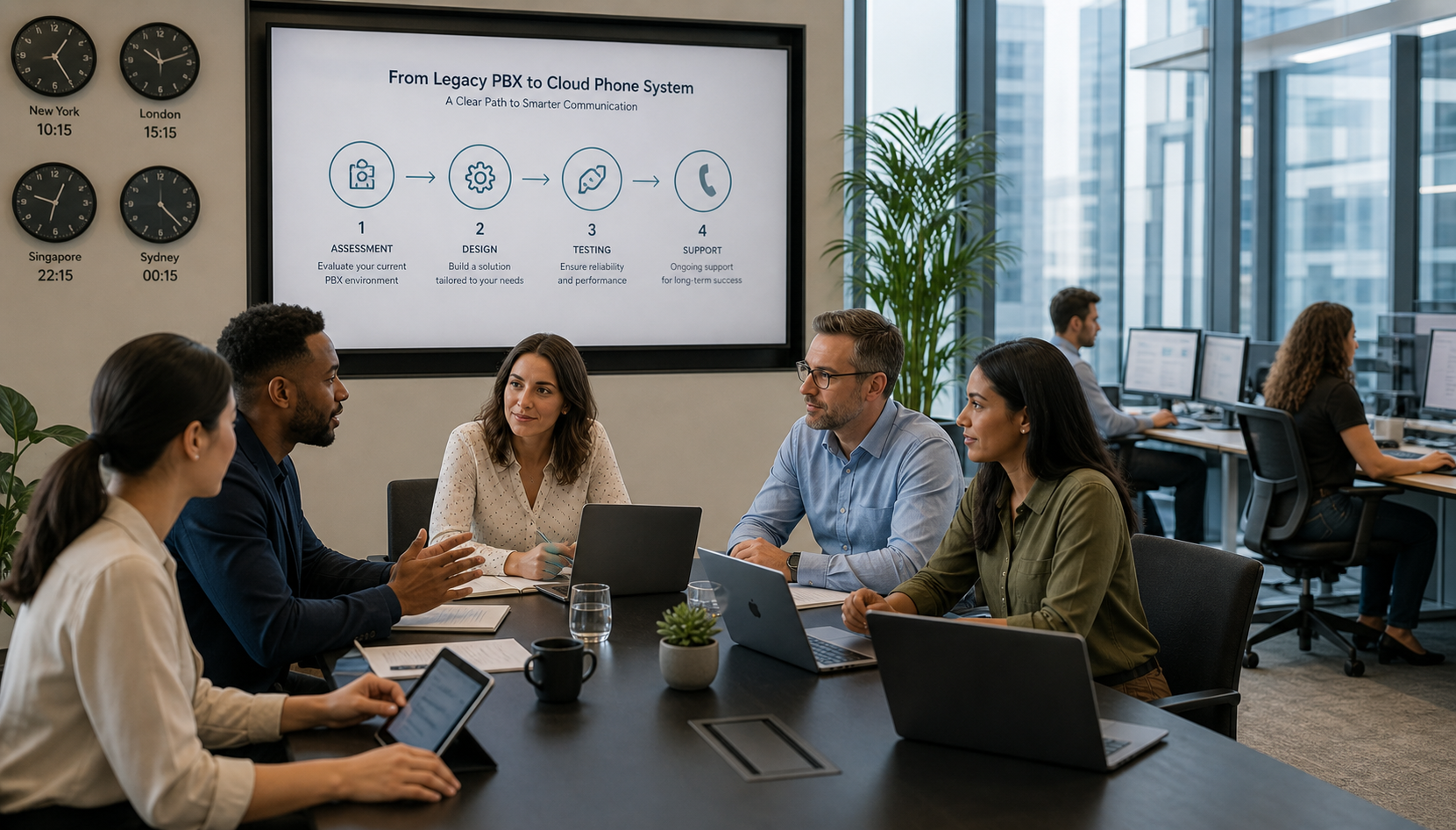
 Migrating from a legacy PBX to a cloud phone system can reduce dependence on aging hardware, simplify administration, support employees in multiple locations, and provide modern calling, messaging, video, mobility, analytics, and contact-center capabilities. However, the best migration is not simply a matter of replacing desk phones and moving telephone numbers to a new carrier.
A successful project begins with a detailed assessment of the existing environment, followed by thoughtful design, testing, user preparation, and a carefully managed cutover. Organizations that skip these steps can discover too late that an overlooked fax machine, elevator phone, emergency line, call queue, paging system, or network limitation affects operations.
Please read about some of our recent migrations
City of Cheyenne Mitel Connect to RingCentral
Brownsville TX Cisco UC to RingCentral
El Paso School District 49 Mitel Connect to RingCentral
Cathedral Basilica of the Immaculate Conception in Denver Mitel Connect Cloud to RingCentral
The Club at Rolling Hills Avaya IP Office migration to RingCentral
The Crouch Neighborhood Norstar to RingCentral Migration
The Harlan Kentucky's migration from Nortel to Mitel to RingCentral
Cunningham Financial's migration from Nortel to Mitel to RingCentral
The following process helps organizations migrate to the cloud while minimizing risk and disruption.
1. Document the Existing PBX Environment
Before selecting or configuring a cloud platform, create an accurate inventory of the current telephone environment. Do not assume that the programming in the PBX, the carrier billing records, and the list maintained by the organization all match.
The assessment should identify:
- Every telephone number, extension, user, department, location, and device
- Main numbers, toll-free numbers, direct inward dial numbers, and fax numbers
- Auto attendants, menus, schedules, holiday routing, and after-hours destinations
- Hunt groups, call queues, pickup groups, paging groups, and shared lines
- Contact-center agents, supervisors, reporting requirements, and recorded calls
- Emergency, elevator, fire-alarm, security, door-entry, and blue-light phones
- Fax machines, postage meters, modems, credit-card terminals, and other analog endpoints
- Overhead paging equipment and connections to the existing PBX
- Call-recording, call-accounting, hospitality, healthcare, CRM, and other integrations
- Existing carrier services, contracts, circuit identifiers, and billing telephone numbers
This discovery phase is also the right time to determine which services are still needed. A migration should not reproduce years of obsolete programming simply because it exists in the old PBX.
2. Define Business, Technical, and Compliance Requirements
The right cloud phone system should be selected according to the organization's operational requirements—not solely by comparing monthly license prices.
Important questions include:
- Does the organization need basic business calling, advanced call queues, or a full contact center?
- Will employees use desk phones, desktop applications, mobile applications, Microsoft Teams, or a combination?
- Are centralized administration and standardized multisite configurations important?
- What reporting, recording, transcription, analytics, and artificial-intelligence features are required?
- How long must recordings and call records be retained?
- Which CRM, Microsoft 365, Google Workspace, property-management, or industry-specific systems must be integrated?
- What security, privacy, accessibility, procurement, and records-retention requirements apply?
- What level of implementation assistance and ongoing support will the organization need?
Government agencies, school districts, healthcare organizations, hospitality properties, and other regulated or operationally complex environments may have requirements that are not addressed by a basic cloud-calling package. These requirements should be documented before vendor selection and contract signing.
3. Assess Network and Internet Readiness
Cloud calling moves an essential business service onto the data network. The local-area network, internet connections, Wi-Fi environment, firewall, switching, cabling, and power protection must therefore be evaluated before deployment.
The assessment should review:
- Available bandwidth and actual utilization at every location
- Latency, packet loss, and jitter
- Quality-of-service configuration for voice traffic
- Power-over-Ethernet capacity for desk phones
- Switch, firewall, router, wireless, and cabling readiness
- Internet redundancy and automatic failover
- Backup power for network equipment and phones
- Firewall and security settings required by the selected platform
Adequate bandwidth alone does not guarantee good voice quality. A well-designed network prioritizes real-time communications and removes single points of failure wherever the operational requirements justify redundancy.
The continuity plan should also address what happens during an internet or power outage. Depending on the design, incoming calls may be rerouted to another location, an auto attendant, a contact center, or mobile phones while connectivity is restored.
4. Design the New System Before Building It
Once the requirements are understood, design the cloud environment in detail. Each existing call flow should be reviewed and either retained, improved, or retired.
The design should define:
- User types, licenses, devices, and telephone-number assignments
- Sites, departments, administrators, and security roles
- Auto attendants, business hours, holidays, and emergency closures
- Call queues, overflow paths, voicemail, callback options, and supervisor functions
- Caller ID presentation for individual users and departments
- Call recording, retention, transcription, and compliance settings
- Paging, fax, analog, door-phone, and emergency-device solutions
- Integrations with directories, CRM systems, Microsoft Teams, and other applications
- Emergency-calling locations, notifications, and dispatchable-location information
- Number-porting phases and the final cutover sequence
This is an opportunity to simplify the user experience. Callers should reach the appropriate person or department without navigating an unnecessarily complicated menu inherited from the old system.
5. Address Analog and Specialty Devices Early
Analog devices are among the most common sources of last-minute migration problems. Some can be connected through an analog telephone adapter, while others may require a dedicated analog service, a purpose-built solution, an equipment upgrade, or continued use of a local line.
Each device should be identified, tested, and assigned a specific migration plan. Particular attention should be given to:
- Fire and security alarm panels
- Elevator and emergency phones
- Fax machines
- Paging systems
- Door-entry and intercom systems
- Modems and telemetry devices
- Point-of-sale and postage equipment
Life-safety equipment should never be moved based on assumptions. Confirm compatibility with the equipment vendor, monitoring provider, authority having jurisdiction, and applicable codes before changing its communications path.
6. Develop the Number-Porting Strategy
Telephone-number porting is usually the most timing-sensitive portion of a cloud migration. Before submitting a request, verify the exact legal business name, service address, billing telephone number, account number, authorized signer, and current carrier information.
The project team should also:
- Confirm every number that must be retained
- Identify numbers that should be disconnected or forwarded
- Avoid cancelling existing carrier service before ports are completed and verified
- Review pending orders or account changes that might delay porting
- Decide whether locations and departments should move together or in phases
- Establish temporary forwarding or alternate-routing plans when appropriate
Large or complex organizations often reduce risk by porting a small group of numbers first and moving additional locations or departments in planned phases.
7. Configure and Test a Pilot Group
A pilot allows the organization to validate the platform with real users before the larger migration. The pilot should include more than members of the IT department. Select users who represent different roles, locations, devices, and calling patterns.
Test at least the following:
- Inbound and outbound calling
- Internal dialing and extension behavior
- Main-number and auto-attendant routing
- Caller ID presentation
- Voicemail and voicemail-to-email
- Call transfer, hold, park, forwarding, and delegation
- Call queues and contact-center workflows
- Desktop, mobile, and desk-phone operation
- Emergency calling and location information, using the provider's approved test procedure
- Fax, paging, analog, recording, reporting, and integrations
- Failover and after-hours routing
Document the results and correct problems before expanding the deployment.
8. Prepare Users and Support Teams
Even a technically successful migration can frustrate employees if they do not understand the new tools. Training should be appropriate to each role rather than relying on a single generic session.
Users should know how to place and transfer calls, manage voicemail, select caller ID, use desktop and mobile applications, change availability, and obtain help. Receptionists, executive assistants, queue agents, supervisors, contact-center staff, and administrators usually require additional role-specific training.
Provide quick-reference materials before cutover and arrange extra support during the first few days of operation.
9. Use a Detailed Cutover Plan
The cutover plan should assign responsibilities, define timing, and include clear validation and escalation procedures. It should cover:
- Final configuration review and backups of relevant PBX information
- Device delivery, staging, labeling, and installation
- Number-port timing and carrier coordination
- Temporary forwarding and contingency procedures
- Validation of inbound, outbound, internal, emergency, fax, paging, and queue functions
- Communication with employees, receptionists, help-desk staff, and leadership
- Onsite or remote technical coverage during the transition
- Criteria for completing each phase and resolving outstanding issues
Avoid making unrelated network, firewall, application, and telephone changes simultaneously unless they are necessary for the migration. Limiting variables makes problems easier to isolate and correct.
10. Stabilize the New Environment Before Retiring the PBX
Do not immediately disconnect the legacy PBX, carrier circuits, or supporting services after the first successful calls. Allow time to confirm that every important number, route, queue, device, integration, and reporting function operates correctly.
During the stabilization period:
- Monitor call quality, failed calls, queue performance, and user feedback
- Verify carrier billing and confirm that unused services are identified
- Correct directory, caller ID, routing, and device issues
- Confirm that recordings, reports, alerts, and integrations are working
- Document the final configuration and administrative procedures
- Establish a process for moves, additions, changes, license reviews, and user departures
Only after validation should the organization cancel obsolete lines, maintenance agreements, circuits, and other legacy services. Retain configuration records and any data required by the organization's retention policy before decommissioning the old equipment.
Should a legacy PBX Migration Be Completed All at Once or in Phases?
The answer depends on the size and complexity of the environment. A smaller organization with one location and straightforward call routing may be able to complete a single coordinated cutover. A multisite organization, government agency, school district, hotel group, or contact-center operation may benefit from a phased migration.
A phased approach can reduce risk, create opportunities to apply lessons from early locations, and make training and support more manageable. However, it may also require temporary dialing, forwarding, or integration between the legacy and cloud systems. The migration plan should account for this period of coexistence.
What Is the Biggest Mistake Organizations Make?
The biggest mistake is treating the project as a simple phone replacement. A legacy PBX may support decades of accumulated workflows, telephone numbers, analog devices, emergency services, and integrations. If those dependencies are not discovered before cutover, the organization may lose functions that employees assumed would continue automatically.
The safest approach is to treat the migration as a business-continuity project with technical, operational, carrier, security, compliance, and user-adoption components.
A Better Path from legacy PBX to Cloud Communications
The best cloud migration combines detailed discovery, solution design, network preparation, careful testing, user training, and experienced project management. Done correctly, the organization gains more than a replacement phone system. It receives a modern communications environment designed around how its employees and customers work today.
High Country Workplace Technologies helps organizations assess legacy Mitel, Avaya, ShoreTel, and other PBX environments; compare cloud communications platforms; prepare their networks; manage number porting; address analog and specialty devices; and support the complete migration process.
If your organization is considering a move to a cloud phone system, contact HCWT to begin with a review of your existing environment and migration requirements.
Frequently Asked Questions About Migrating a legacy PBX to a Cloud Phone System
How long does it take to migrate a legacy PBX to a cloud phone system?
A straightforward single-location migration may take several weeks, while a multisite organization, contact center, school district, hotel group, or government agency may require several months. The schedule depends on system size, number portability, network readiness, analog devices, integrations, equipment availability, testing, and user training. Planning should begin before the existing PBX reaches end of support or experiences a critical failure.
Can we keep our existing telephone numbers when moving to a cloud phone system?
In most cases, existing telephone numbers can be transferred to the new cloud provider. Before submitting a port request, the organization should verify every number and confirm the legal business name, service address, billing telephone number, account number, and authorized signer shown on the current carrier account. Existing telephone service should not be cancelled until the numbers have been transferred and tested successfully.
Can a legacy PBX and a cloud phone system operate at the same time?
Yes. A phased migration may allow the legacy PBX and cloud phone system to operate simultaneously while locations or departments are moved in stages. Temporary forwarding, SIP connectivity, or other transitional routing may be required. The coexistence design should address internal dialing, caller ID, voicemail, emergency calling, and inbound call routing between the two environments.
What happens to fax machines and other analog devices during a cloud migration?
Fax machines, elevator phones, alarm panels, paging systems, door phones, modems, and other analog devices must be evaluated individually. Some devices may work with an analog telephone adapter, while others may require a dedicated analog service, specialized equipment, or replacement. Life-safety devices should be reviewed with the equipment vendor, monitoring provider, authority having jurisdiction, and applicable codes before their communications service is changed.
Does the network need to be upgraded before moving telephone service to the cloud?
Not always, but the network should be assessed before deployment. The review should include bandwidth, latency, packet loss, jitter, quality of service, Power over Ethernet capacity, switches, firewalls, cabling, Wi-Fi coverage, internet redundancy, and backup power. Sufficient bandwidth alone does not guarantee reliable voice quality.
How is 911 calling handled with a cloud phone system?
Cloud phone systems must be configured with accurate emergency-response locations and, when applicable, dispatchable-location information for users and devices. Organizations should also review emergency notifications, remote-user procedures, multiline telephone system requirements, and location-management processes. Emergency calling should be tested using the cloud provider's approved non-emergency testing procedure.
Should an organization migrate its entire PBX at once or use a phased approach?
A smaller organization with one location and uncomplicated call routing may be able to complete a single coordinated cutover. Larger, multisite, or operationally complex organizations often benefit from a phased migration. Moving a pilot group or initial location first can reduce risk and allow the project team to apply lessons learned to later phases.
When should the old PBX and carrier services be disconnected?
The old PBX, telephone circuits, and carrier services should remain available until all required telephone numbers, call routes, emergency services, queues, analog devices, integrations, reporting, and recordings have been verified. After the new system has stabilized, the organization can cancel obsolete services and decommission the legacy equipment. Cancelling services too early can cause telephone numbers to be lost or disrupt devices that were not identified during discovery.
Please see more information about how we migrate a legacy PBX specifically to ringcentral here on our legacy PBX to RingCentral Services Page.